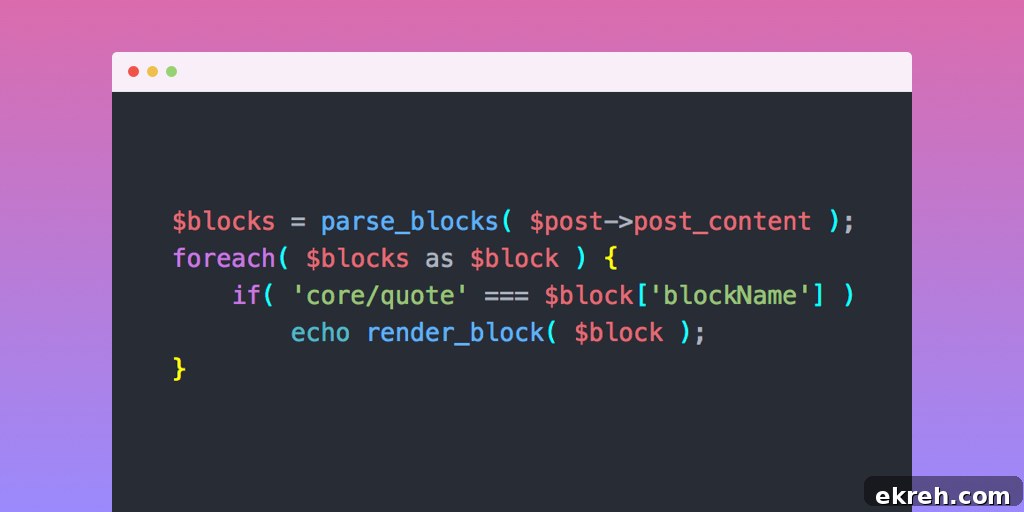
The Gutenberg block editor divides content into individual blocks. WordPress provides built-in functions that make it simple to read and work with those blocks inside a post.
Below is a concise overview of the key functions for accessing block data, with practical examples showing how to use them in themes and templates.
Jump to Section:
- parse_blocks()
- render_block()
- Display blockquote from post
- Table of contents from headings
- ACF block data
parse_blocks()
The parse_blocks() function reads the HTML comments and markup stored in a post’s post_content and returns an array of parsed block objects. Each array item represents a block and contains properties such as blockName, attrs, innerBlocks, innerHTML, and innerContent.
Usage: $blocks = parse_blocks( $post->post_content );
For example, a post that includes a paragraph block and a heading will have a parsed array where each block appears as a separate element with its attributes and HTML content captured. This structured output makes it straightforward to inspect or manipulate specific blocks programmatically.
Lorem ipsum dolor sit amet, consectetur adipiscing elit, sed do eiusmod tempor incididunt ut labore et dolore magna aliqua. Ut enim ad minim veniam, quis nostrud exercitation ullamco laboris nisi ut aliquip ex ea commodo consequat.


Heading 1
After calling parse_blocks() this content becomes a structured array. Each block entry includes its type, attributes, and the raw HTML for the block, making it easy to target specific block types such as paragraphs, headings, quotes, or custom blocks.
Array
(
    [0] => Array
        (
            [blockName] => core/paragraph
            [attrs] => Array
                (
                    [fontSize] => large
                )

            [innerBlocks] => Array
                (
                )

            [innerHTML] =>
Lorem ipsum dolor sit amet, consectetur adipiscing elit, sed do eiusmod tempor incididunt ut labore et dolore magna aliqua. Ut enim ad minim veniam, quis nostrud exercitation ullamco laboris nisi ut aliquip ex ea commodo consequat.

            [innerContent] => Array
                (
                    [0] =>
Lorem ipsum dolor sit amet, consectetur adipiscing elit, sed do eiusmod tempor incididunt ut labore et dolore magna aliqua. Ut enim ad minim veniam, quis nostrud exercitation ullamco laboris nisi ut aliquip ex ea commodo consequat.

                )

        )

    [1] => Array
        (
            [blockName] =>
            [attrs] => Array
                (
                )

            [innerBlocks] => Array
                (
                )

            [innerHTML] =>


            [innerContent] => Array
                (
                    [0] =>


                )

        )

    [2] => Array
        (
            [blockName] => core/heading
            [attrs] => Array
                (
                    [level] => 1
                )

            [innerBlocks] => Array
                (
                )

            [innerHTML] =>
Heading 1

            [innerContent] => Array
                (
                    [0] =>
Heading 1

                )
render_block()
The render_block() function accepts a single parsed block object and returns the rendered HTML for that block. This is useful when you want to display the output of a specific block without rendering the entire post content.
Usage: echo render_block( $block );
Keep in mind that render_block() returns the block’s rendered HTML but does not automatically apply all content filters that WordPress normally runs on post content, such as paragraph auto-formatting, shortcode processing, and embed handling. To include those filters, wrap the result with the_content filters, for example: echo apply_filters( 'the_content', render_block( $block ) );
Display blockquote from post
If you want to extract a blockquote from a post — for example, to highlight a quote in a portfolio archive — you can loop through the parsed blocks and render the first core/quote block you find. Below is a compact function that checks the post for quote blocks and outputs the first one it encounters.
/**
 * Display blockquote from post
 * @link https://www.billerickson.net/access-gutenberg-block-data/
 */
function be_display_post_blockquote() {
  global $post;
  $blocks = parse_blocks( $post->post_content );
  foreach( $blocks as $block ) {
    if( 'core/quote' === $block['blockName'] ) {
      echo render_block( $block );
      break;
    }
  }
}
This approach keeps your template logic focused and avoids extra parsing of the entire post HTML when you only need a single block’s output.
Table of contents from headings
Building a table of contents is simpler when you work with parsed blocks instead of raw HTML. By iterating over the blocks and selecting those with blockName equal to core/heading, you can gather the headings and output an ordered list.
The example below collects headings and prints a basic ordered list. You can extend this by checking $block['attrs']['level'] to create nested lists that reflect heading hierarchy (for example, making h3 items children of h2 items).
/**
* List post headings
* @link https://www.billerickson.net/access-gutenberg-block-data/
*/
function be_list_post_headings() {
global $post;
$blocks = parse_blocks( $post->post_content );
$headings = array();
foreach( $blocks as $block ) {
if( 'core/heading' === $block['blockName'] )
$headings[] = wp_strip_all_tags( $block['innerHTML'] );
}
if( !empty( $headings ) ) {
echo '';
foreach( $headings as $heading )
echo '- ' . $heading . '
';
echo '
';
}
}Note: WordPress does not always store heading IDs (anchors) as an explicit attribute in the parsed data. If you need anchor links for each heading, you may have to generate or extract IDs from the HTML markup and sanitize them for use in links.
ACF block data
When using Advanced Custom Fields (ACF) to create custom dynamic blocks, ACF stores the block’s data within the block comment markup rather than as static HTML. This makes parse_blocks() especially useful: it lets you read all the ACF-provided values from the $block['attrs']['data'] array so you can build menus, anchor lists, or other dynamic outputs without duplicating content.
For example, if you have a custom acf/service block that stores fields such as title, anchor, content, and a related post link, you can scan the post for all service blocks and build a list of links that point to each block’s anchor on the page.
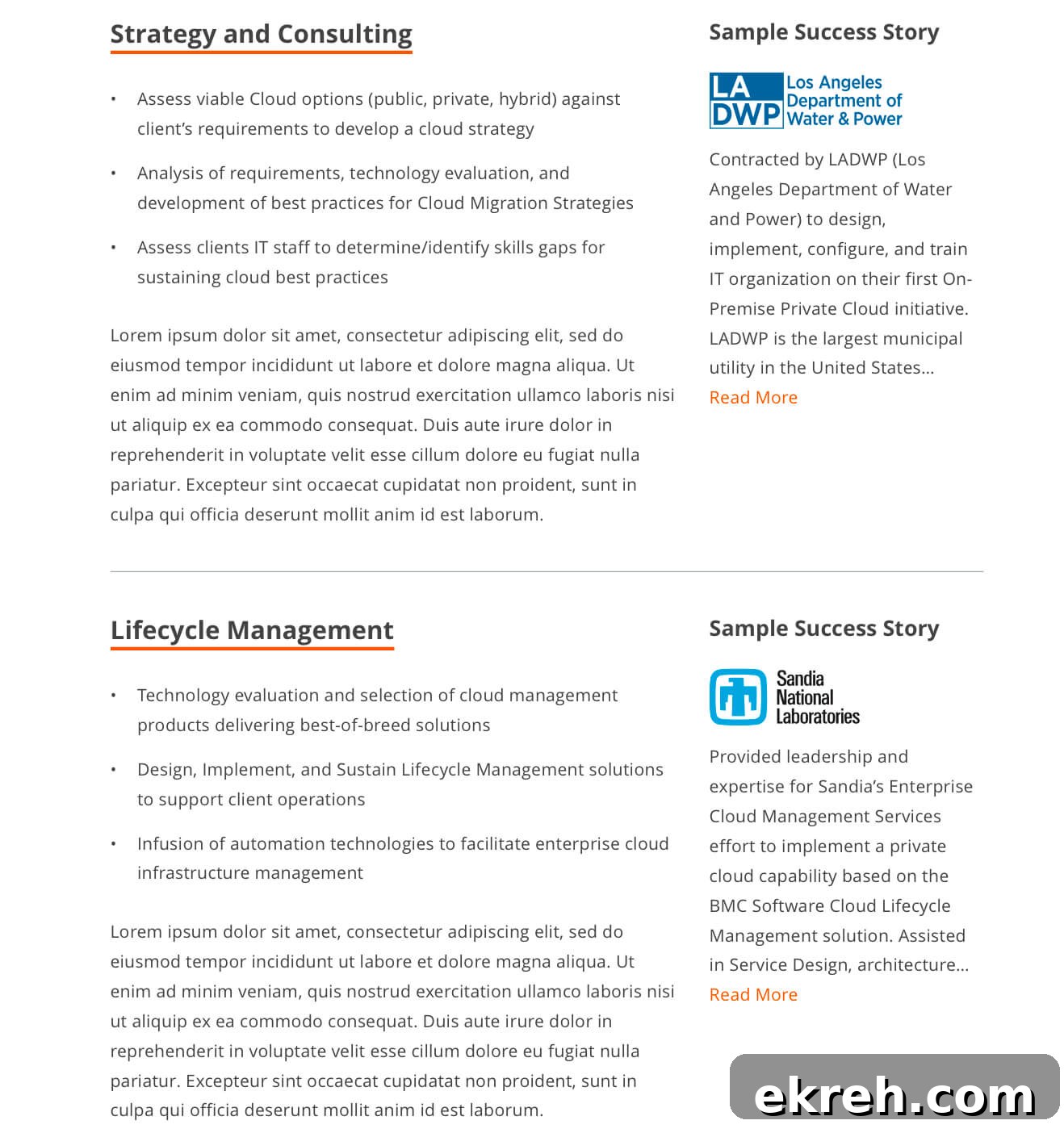
Below is a compact function that finds each acf/service block in the post, extracts its title and anchor fields, constructs a sanitized anchor if one is not provided, and outputs a simple list of links to those service sections.

/**
* Get service sections
* @link https://www.billerickson.net/access-gutenberg-block-data/
*/
function ea_get_service_sections() {
$sections = array();
global $post;
$blocks = parse_blocks( $post->post_content );
foreach( $blocks as $block ) {
if( 'acf/service' !== $block['blockName'] )
continue;
$title = $anchor = '';
if( !empty( $block['attrs']['data']['title'] ) )
$title = $block['attrs']['data']['title'];
if( !empty( $block['attrs']['data']['anchor'] ) )
$anchor = $block['attrs']['data']['anchor'];
if( empty( $anchor ) )
$anchor = $title;
$sections[] = '' . esc_html( $title ) . '';
}
if( empty( $sections ) )
return;
echo '';
foreach( $sections as $section )
echo '- ' . $section . '
';
echo '
';
}Using parse_blocks() in these ways helps keep your theme templates DRY and ensures that any data entered in the editor remains the single source of truth for both page content and auxiliary features such as quotes, a table of contents, or section navigation.